
Your personal recipe collection, organized and accessible.
Save recipes from anywhere on the web, organize them your way, and access them anytime. Ginger Kitchen makes cooking easier and more enjoyable.

Your personal kitchen assistant.
Ginger Kitchen was built for home cooks who want to save time and stay organized. Save recipes from anywhere, organize them your way, and cook with confidence.
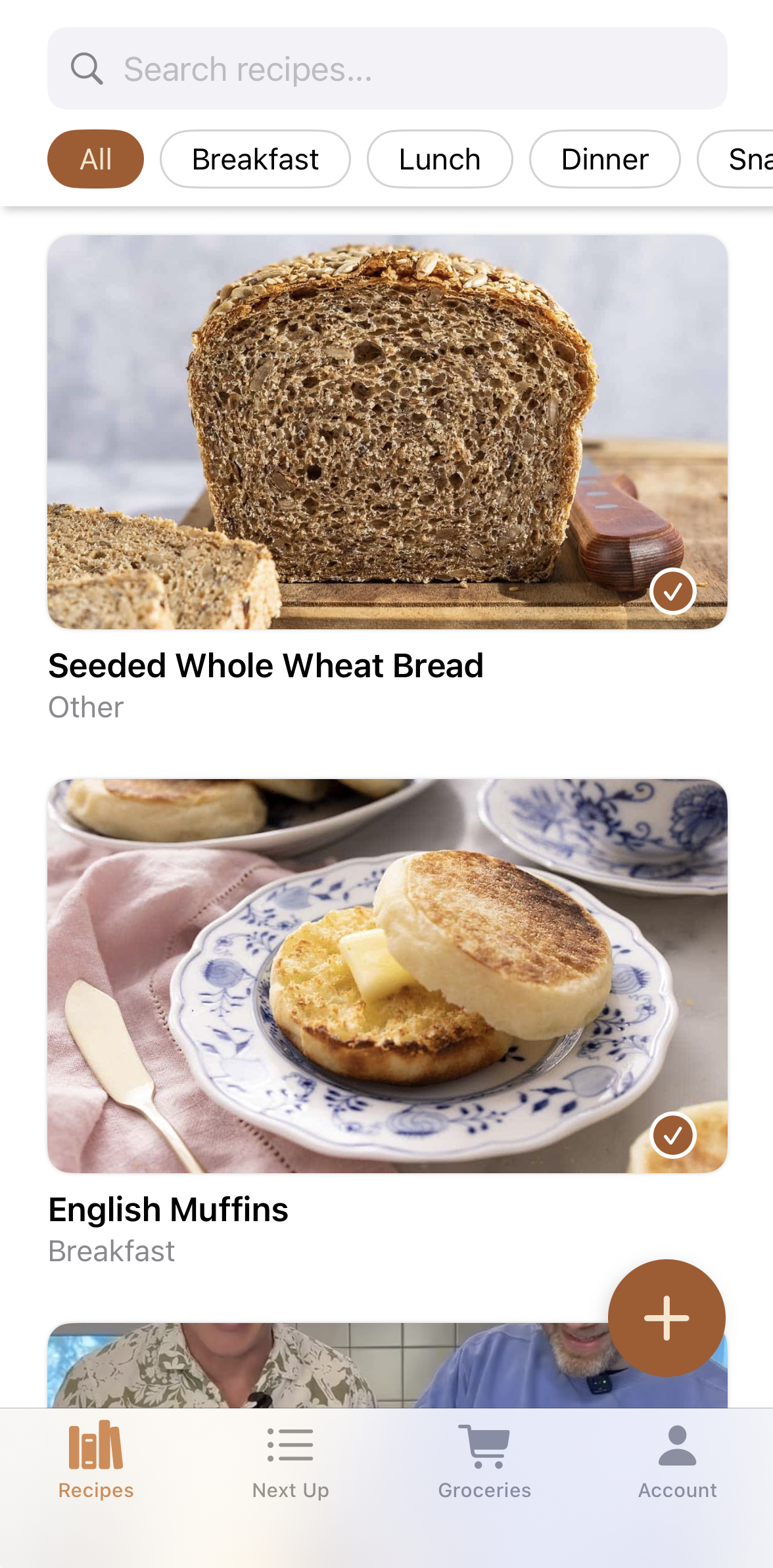

Save recipes from anywhere
Use our Chrome extension to save recipes from any website with a single click. Your recipes are automatically organized and ready to use.
Smart recipe organization
Automatically categorize your recipes by cuisine, meal type, and ingredients. Find exactly what you're looking for in seconds.
Access anywhere
Your recipe collection syncs across all your devices. Access your recipes on your phone, tablet, or computer whenever you need them.
Organize your recipe collection today.
Stop losing track of your favorite recipes. With Ginger Kitchen, all your recipes are in one place, organized and ready to use.
Save from any website
Use our Chrome extension to save recipes from any cooking website with a single click.
Organize by cuisine
Automatically categorize your recipes by cuisine type, making it easy to find what you're looking for.
Quick access
Find your favorite recipes instantly with powerful search and filtering options.
Share with family
Share your recipe collection with family members so everyone can access your favorite dishes.
Secure and private
Your recipes are stored securely and privately. Your data belongs to you.
Recipe insights
Track your cooking habits and discover new recipes based on your preferences.
Home cooks love Ginger Kitchen.
Join thousands of home cooks who are organizing their recipes and cooking with confidence.
Simple pricing for everyone.
Whether you're cooking for yourself or your whole family, we've got a plan that fits your needs.

Frequently asked questions
If you have anything else you want to ask, reach out to us.
How do I save recipes?
You can save recipes in two ways: use our Chrome extension to save recipes from any website with a single click, or manually add recipes through the web app or mobile app.
Can I organize my recipes?
Yes! You can organize recipes by cuisine, meal type, ingredients, or create your own custom categories. Our Pro and Family plans include advanced organization features.
Is my data secure?
Absolutely. Your recipes are stored securely and privately. We use industry-standard encryption and never share your data with third parties.
Can I share recipes with family?
Yes! The Family plan allows you to share your recipe collection with family members. Everyone can access, add, and organize recipes together.
Do you have a mobile app?
Yes, Ginger Kitchen is available on iOS. You can access your recipes from any device - phone, tablet, or computer.
What happens if I cancel my subscription?
If you cancel, you'll still have access to your recipes, but you'll be limited to the Free plan features. Your data is never deleted.
Can I import recipes from other apps?
We're working on import features for popular recipe apps. Contact us if you'd like to import from a specific service.
How many recipes can I save?
The Free plan allows up to 50 recipes. Pro and Family plans include unlimited recipe storage.
Do you support meal planning?
Yes! Our Family plan includes meal planning tools to help you organize your weekly meals and create shopping lists.